Assign resources
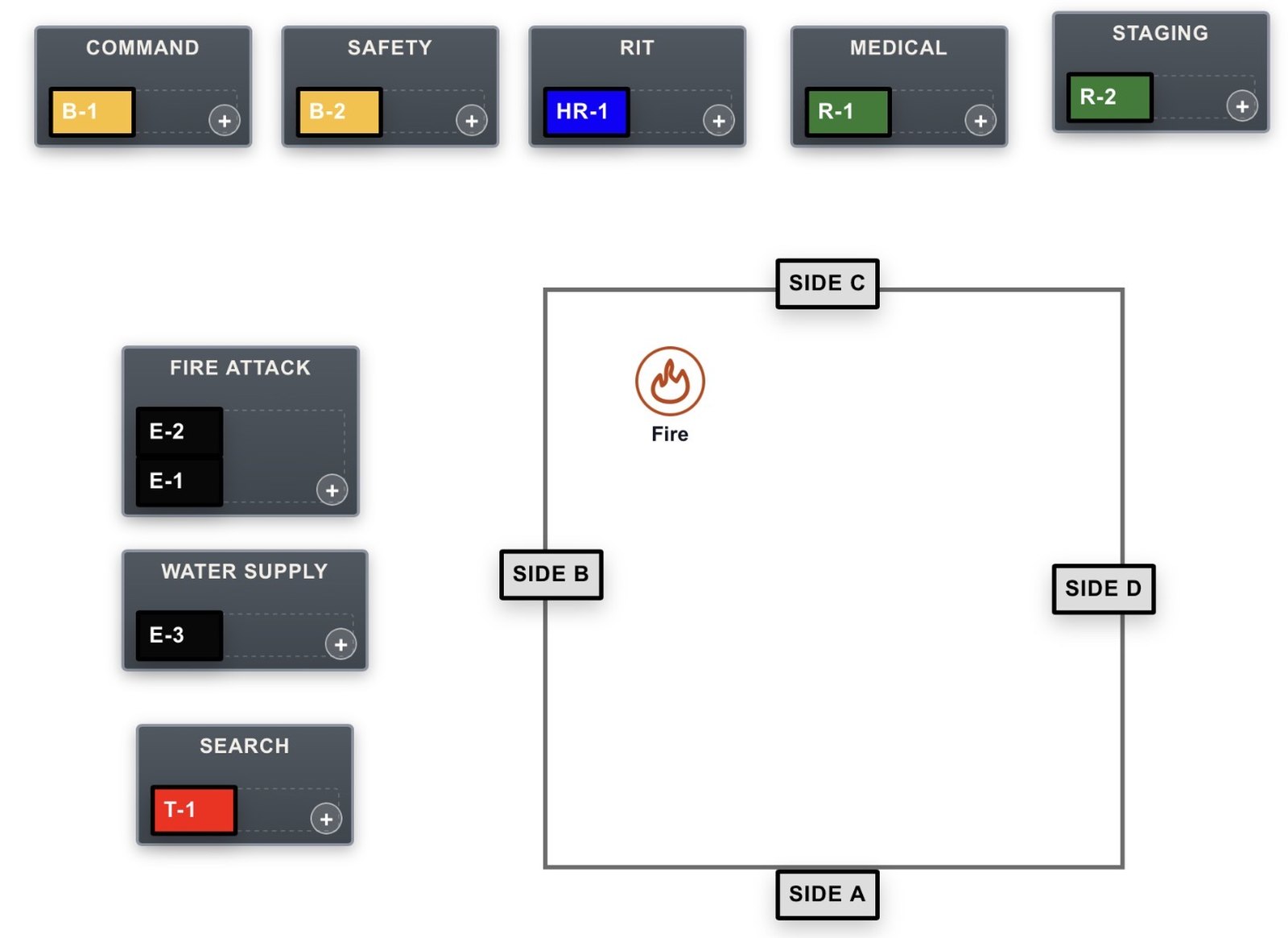
Drag department-specific apparatus and resource tiles into tactical assignments, groups, and divisions. Choose from multiple incident layouts.
OPERATIONAL TACTICAL WORKSHEETS
A customizable tablet-based tactical worksheet, without an expensive enterprise incident management implementation or replacement of your existing CAD system.
Your apparatus. Your configurations. Your dedicated worksheet URL.
01 / HOW THE WORKSHEET WORKS
Drag department-specific apparatus and resource tiles into tactical assignments, groups, and divisions. Choose from multiple incident layouts.
Keep PAR, personnel accountability, primary searches, and operational benchmarks alongside the tactical plan.
Capture notes, snapshots, and reports for review. Keep independent copies of records your department needs.
02 / CONFIGURED FOR YOUR DEPARTMENT
Each department receives its own configured operational worksheet, accessible through a dedicated department URL without a daily officer login.
Read the Department Worksheet Guide03 / OPERATIONS + TRAINING
Every department subscription includes DTW Instructor and Scenario Studio, so officers practice command on the same configured worksheet they use on the fireground.
Custom annual quote
Priced by your configuration, instructor seats, and simultaneous training stations.
Request Department PricingDTW uses a browser on compatible tablets and computers. Prepare and test the intended devices with your department before operational use.
Offline worksheet functionality is available where supported, after device preparation. Network-dependent features still need connectivity. Follow the Department Worksheet Guide and verify offline readiness on each device before use.
No. Your existing CAD and agency command procedures remain in place. DTW supports organization, documentation, and training; it is not a dispatch or life-safety system.
Not at this time. Command Assist is still in testing. Department subscriptions are built on the worksheet and training tools available today.
Request an annual quote based on your department’s configuration, instructor seats, and simultaneous training station requirements. The configured operational worksheet is available during the active department subscription. Details are defined in your written agreement.
04 / DEMONSTRATION + PRICING
See the worksheet, discuss your configuration, and request a custom annual quote.